Redesigning Lingo's Core Architecture for Multi-Brand Teams
Overview
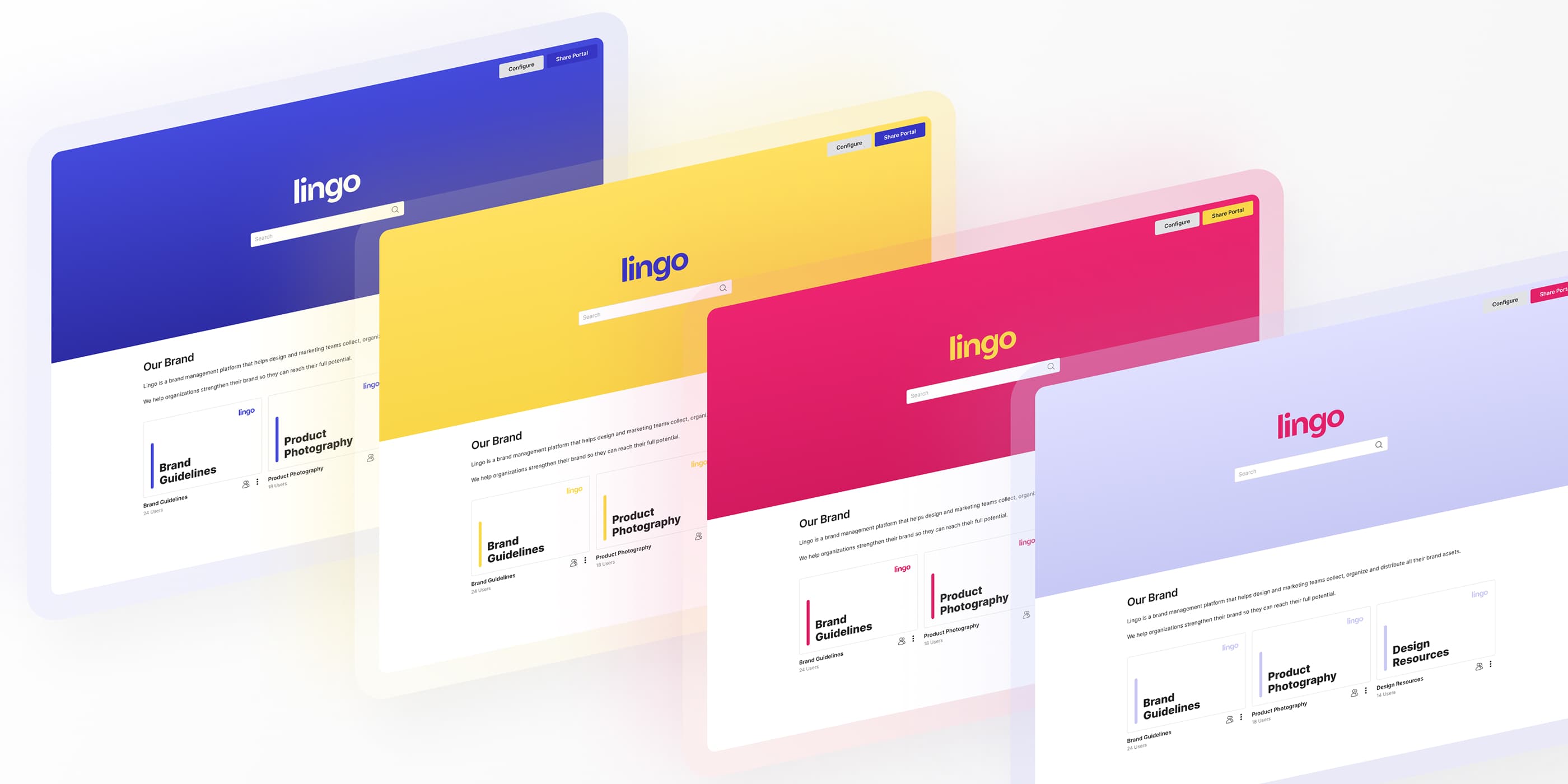
Lingo is a digital asset management platform used by creative teams to publish brand guidelines and distribute brand assets. Companies use Lingo to host things like their logos, typography, product photography, and brand color systems, so that stakeholders can quickly access the latest versions of these assets without having to manually request them.
At its core, Lingo is built around individual “kits”: separate pages that host downloadable assets (e.g. all the different variants of a company's logo), alongside guidelines about how the assets should be used. All of a customer's kits, since the product's inception, lived within a single “portal” — a central page that could be shared via a single link — allowing external users to navigate between kits and access different content.
As Lingo expanded upmarket, customers began asking for a way to create multiple portals, so that different groups of kits could be shared via separate links. This was most commonly driven by companies managing multiple brands.
Business Problem
Lingo's single-portal model worked well for single-brand use cases, but began to break down as customers used the platform to manage multiple brands. Teams were forced to either group unrelated brand kits within the same portal, or distribute kits via separate links, defeating much of the value of Lingo as a centralized system.
Bumble was one of Lingo's largest customers and consistently ran into this limitation. The company managed assets across multiple brands — Bumble Inc, Badoo, Zodia, and Bumble For Friends — within their single portal, where all kits lived side by side regardless of brand.
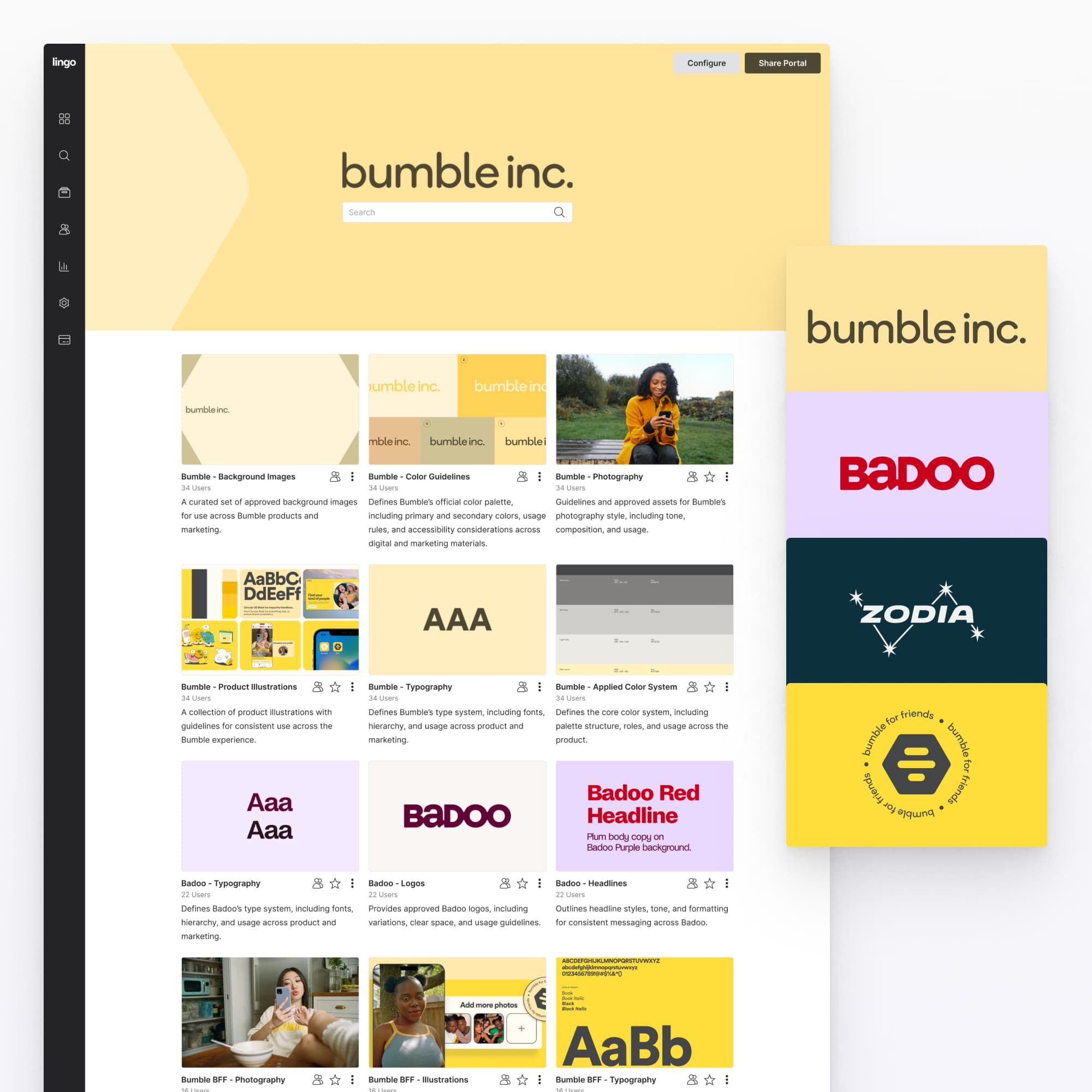
Ideally, Bumble wanted to create separate portals for each brand, each acting as its own branded entry point. Over time, this inability created considerable friction: brand boundaries blurred, kits became overloaded as teams tried to consolidate content, and the system grew increasingly difficult to navigate and maintain as more assets and users were added.
My Role
I was the sole product designer on the team, responsible for all UI and product design across Lingo. All product work flowed through design, and engineering implementation was based directly on my Figma files.
For this project, I worked closely with the CEO and CTO to define the new multi-portal architecture, and led the end-to-end design of the experience, from early system definition through to the final UI.
Defining The Dashboard
While the shift to a multi-portal architecture had far-reaching implications across the product, it immediately raised a fundamental question: how would users navigate between portals and manage their kits?
The problem was that there was no true management layer in Lingo. Users logged directly into their single portal, which simultaneously functioned as both the customer's internal workspace, and a shareable external page. We quickly realized that a multi-portal architecture required a central management dashboard as the new entry point for the product, where users could navigate between, create, and organize portals and kits. The challenge then became defining how this experience should work.
After strategizing with engineering, we chose to start by designing a version of the dashboard with as little change to the existing UI as possible, repurposing the existing Kit component to also represent customer portals.
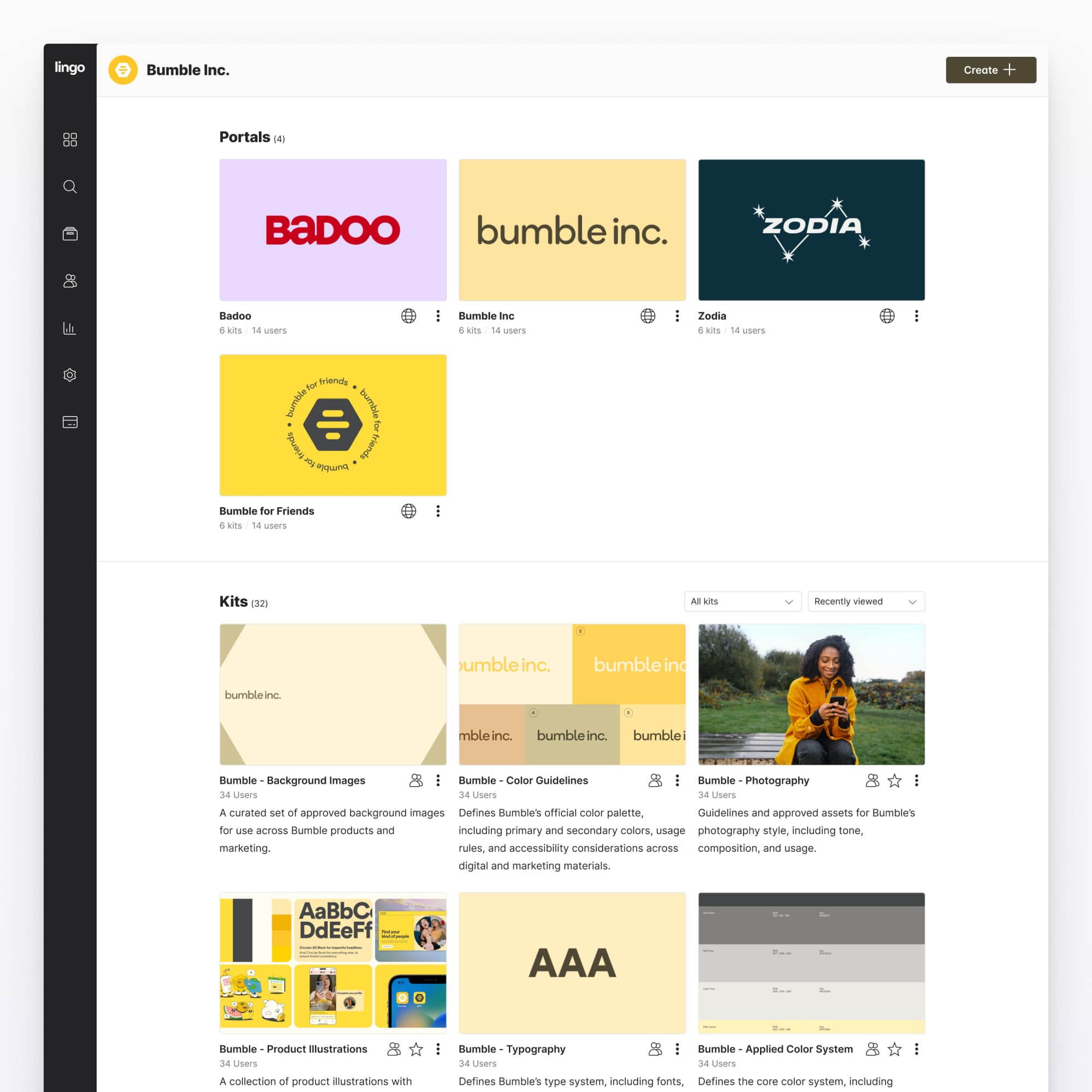
This approach allowed us to validate how portals and kits might coexist without introducing additional UI complexity, while engineering focused on rearchitecting the underlying data model.
Gradual UI Exploration
Once the initial dashboard was deployed to staging and we began internal testing, a number of issues became apparent. Repurposing the kit card UI for portals did little to convey the parent-child relationship between the two, and it wasn’t immediately clear which kits belonged to which portal. For customers with the largest spaces, navigation also felt clunky, suggesting the need for features like a “recently viewed” filter to make frequently accessed content easier to find.
A core challenge behind this redesign was the scale of the underlying engineering work. Re-architecting the data model was a significant effort, so we approached UI changes incrementally. Rather than introducing a full redesign, we began by exploring targeted adjustments to the portal card to better communicate hierarchy and improve clarity within the existing system.
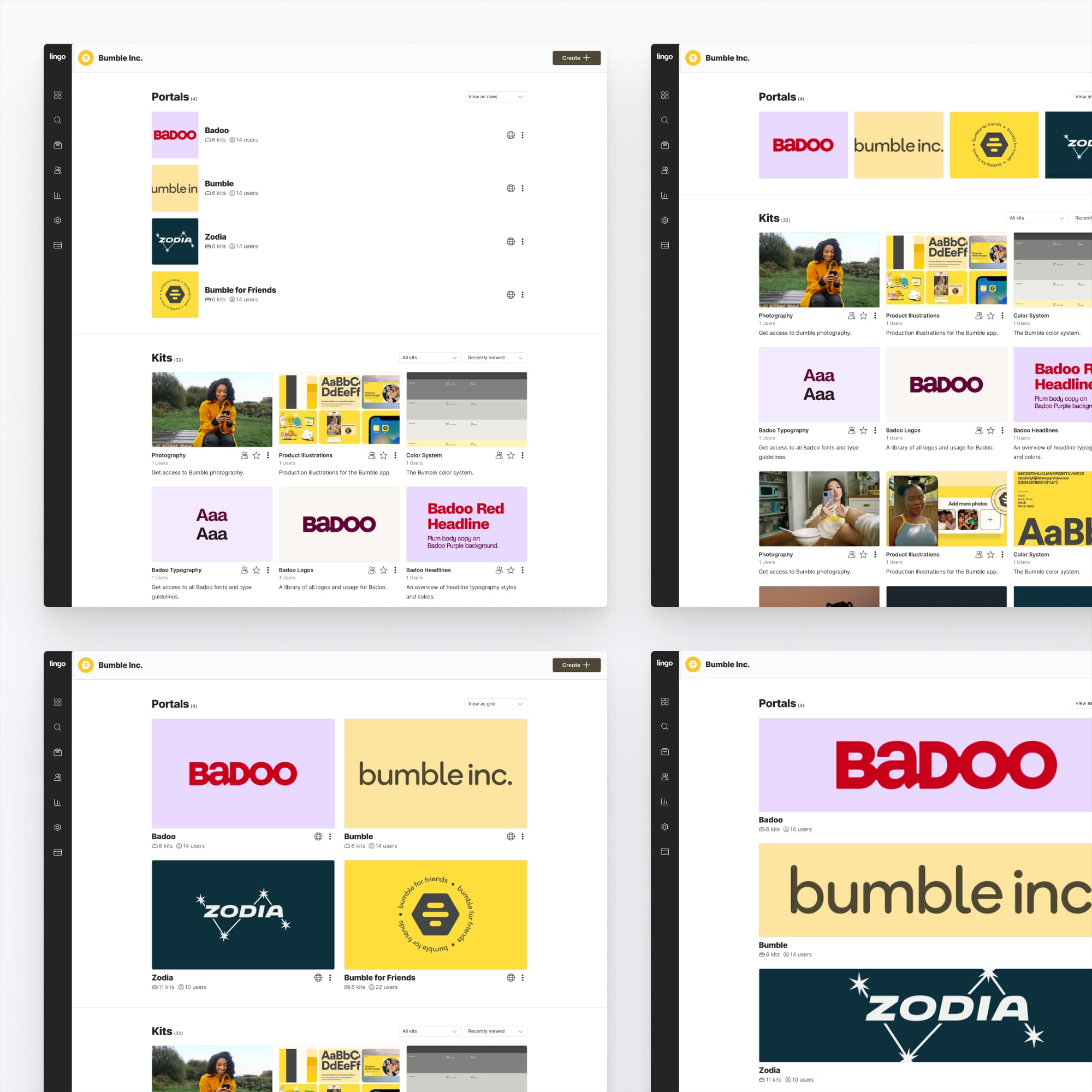
However, these explorations made it clear that adjusting the portal card alone was not sufficient. A more effective solution required differentiating both portal and kit cards, so that their roles and relationship could be more clearly understood within the interface.
Refactoring the Dashboard UI
The move to redesign the dashboard more broadly focused first on establishing a clear hierarchy between portals and kits. In the initial version, both were represented with similarly weighted card imagery, which flattened their relationship. We rebalanced this by expanding the portal card image and reducing the size of the kit card image, emphasizing portals as the primary entry point, with kits clearly positioned as their children.
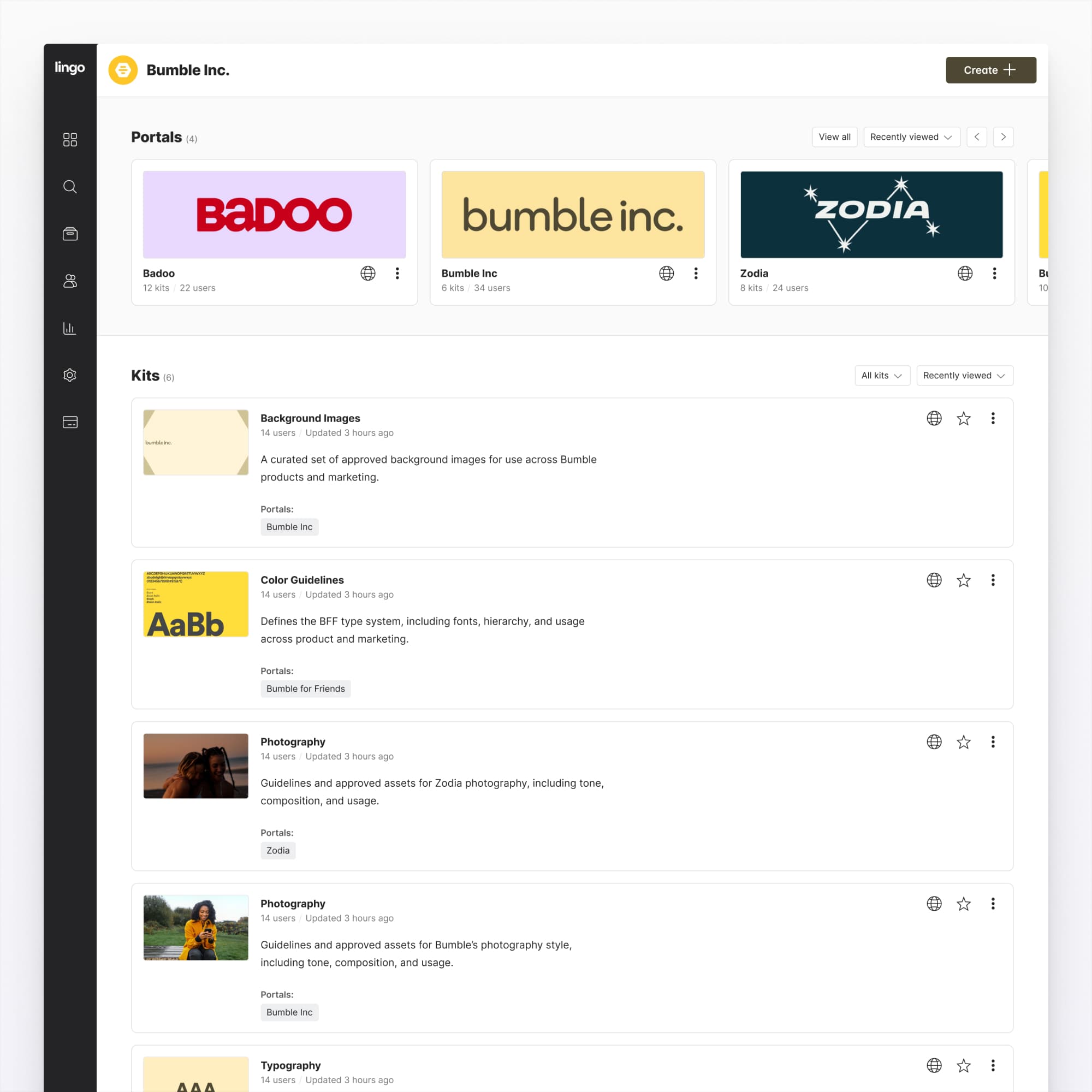
To further reinforce this structure, we added a subtle gray background to the portals section, clearly separating them from kit content below. Kit cards were labeled with their parent portal, making relationships explicit even when scanning across mixed content. We also improved navigation by introducing recently viewed and last modified sorting, allowing users to quickly reference active work instead of relying on static ordering. Smaller interaction details, like improving hover states on both portal and kit cards, made the interactive elements more legible across the dashboard.

Impact
This work shipped across the entire Lingo product and replaced the previous single-portal experience as the default entry point for all users. Enterprise teams like Bumble who had been managing dozens of kits within a single portal, were able to completely restructure their content across distinct portals, and finally support their multi-brand distribution needs in a way that was previously impossible.
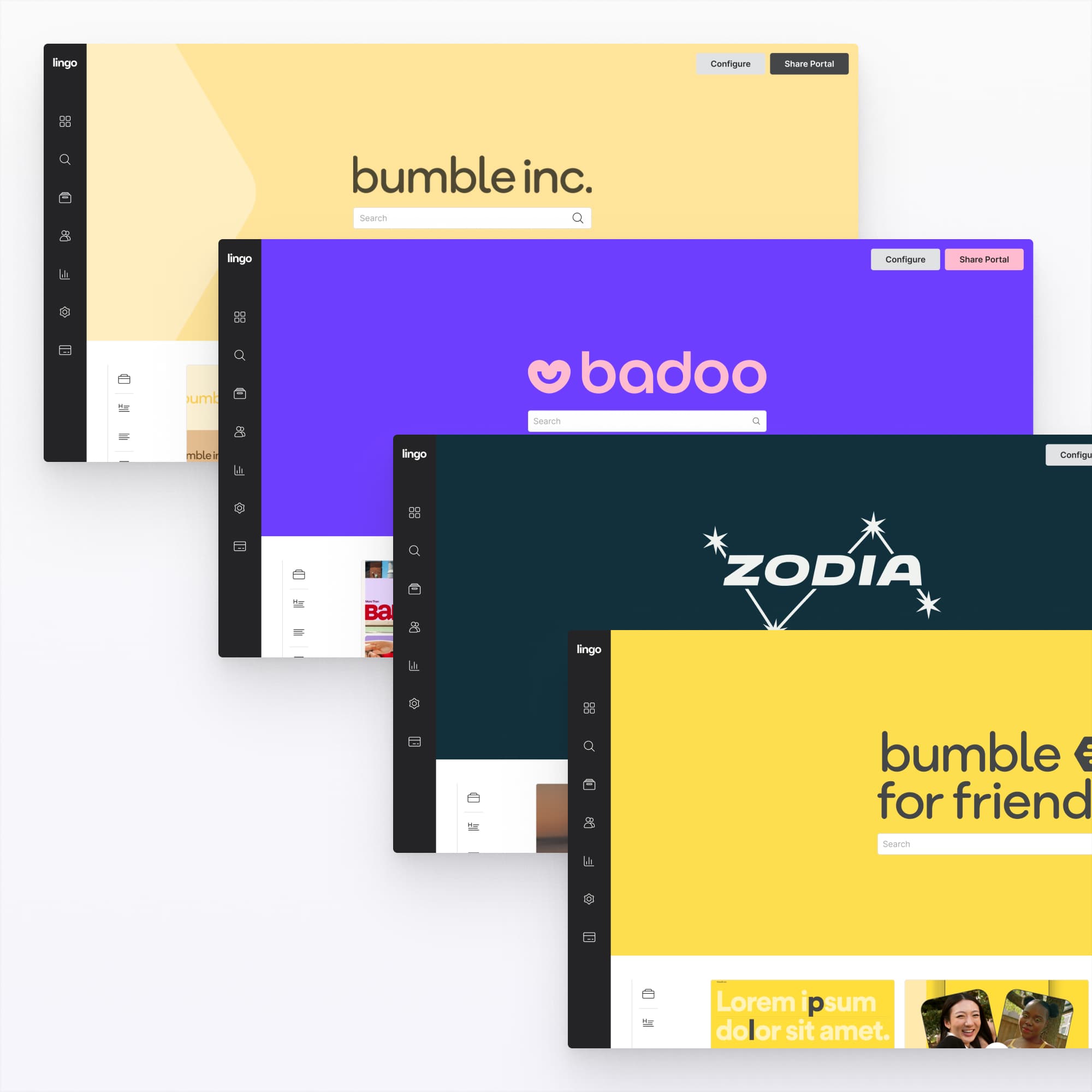
This new architecture also created a foundation for further product development, including portal-level customization, theming, and more granular permissioning.